What is PikaScript?#
PikaScript is a Python interpreter designed specifically for microcontrollers, supporting a subset of common Python 3 syntax.
It's lighter, requiring only 32 KB of code space and 4 KB of RAM, which means it can run on STM32F103C8 (Blue Pill) or even STM32G030C8. This leaves valuable space for more material or larger buffer areas.
It's easier, running out of the box with no porting and configuration at all. It doesn't depend on an OS or file system, and has good support for popular Windows IDEs like Keil, IAR, and RT-Thread Studio. Of course, it also supports Linux GCC development platforms.
It's smarter, with a unique C module mechanism that allows you to generate bindings automatically by simply writing the API for the C module in Python. You don't need to deal with the headache of writing any macros or global tables manually. On the other hand, all C modules have sophisticated smart hints, even hinting at the types of your arguments.
PikaScript is an open source project on GitHub: https://github.com/pikasTech/pikascript
Why PikaScript + LVGL?#
PikaScript now supports the main features of LVGL8, and these APIs are fully compatible with MicroPython.
This means that you can continue to use already written code from MicroPython, and then use less code space and RAM.
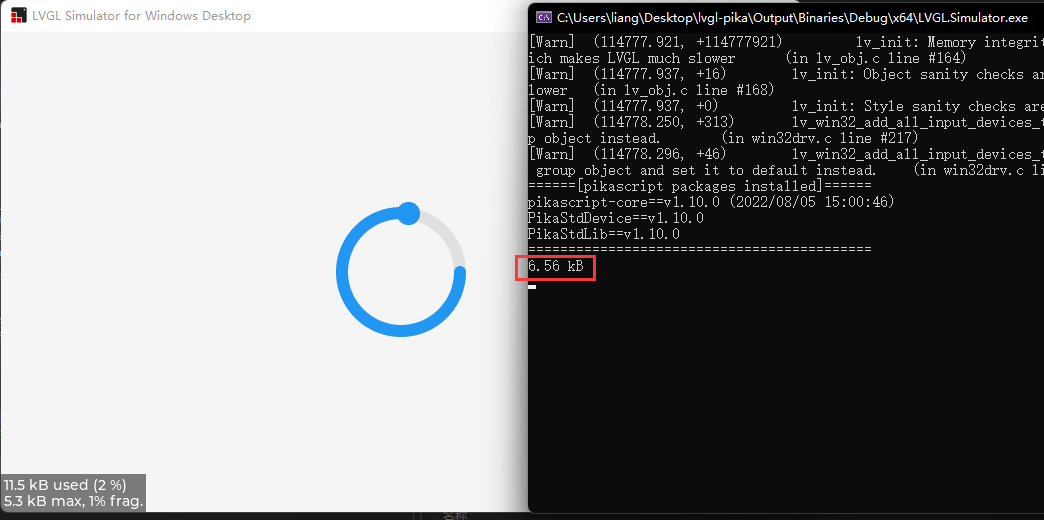
The peak memory footprint of the ring animation demo is just 6.56 KB:
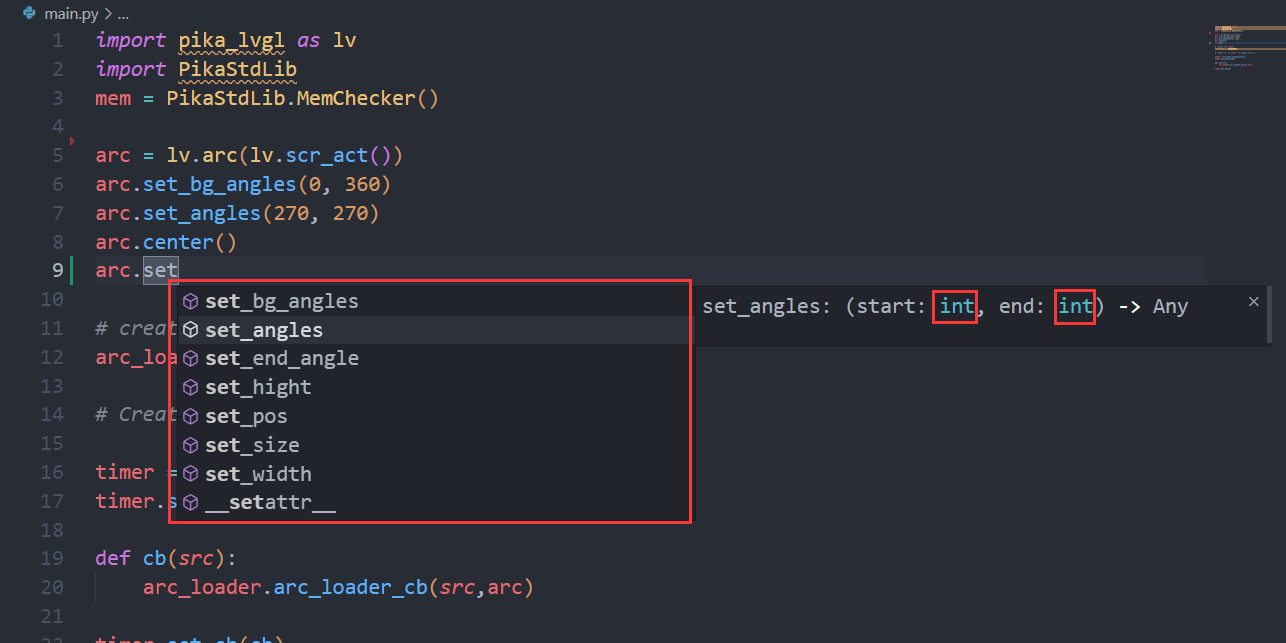
Enjoy detailed code hints down to the parameter type for a better programming experience:
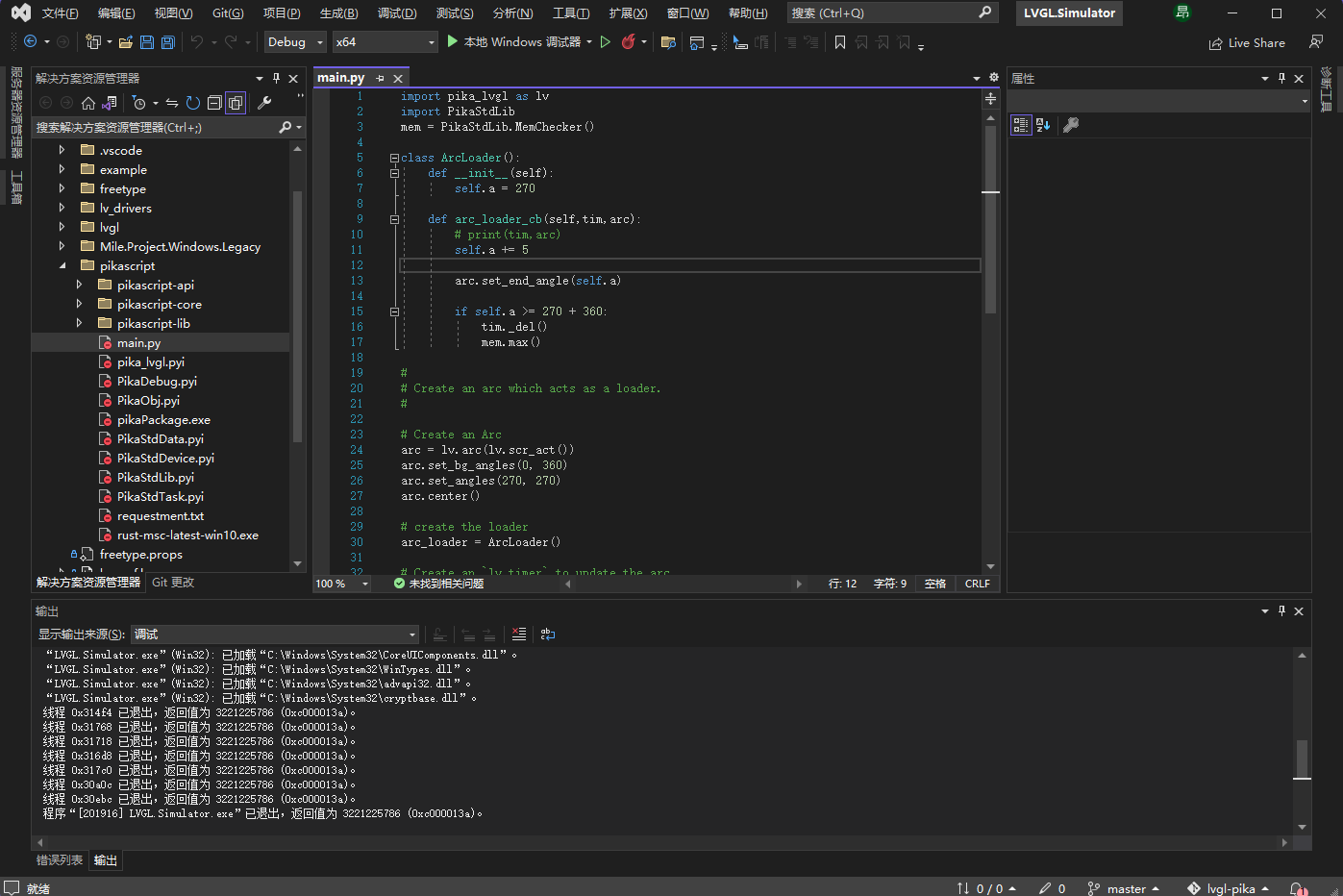
Use a more convenient IDE, such as VS-based simulation projects:
LVGL Examples#
Here are some examples of LVGL that PikaScript can already run. They are mainly from the LVGL documentation examples.
Arc Widget#
import pika_lvgl as lv
import PikaStdLib
mem = PikaStdLib.MemChecker()

# Create an Arc
arc = lv.arc(lv.scr_act())
arc.set_end_angle(200)
arc.set_size(150, 150)
arc.center()

print('mem used max: %0.2f kB' % (mem.getMax()))
print('mem used now: %0.2f kB' % (mem.getNow()))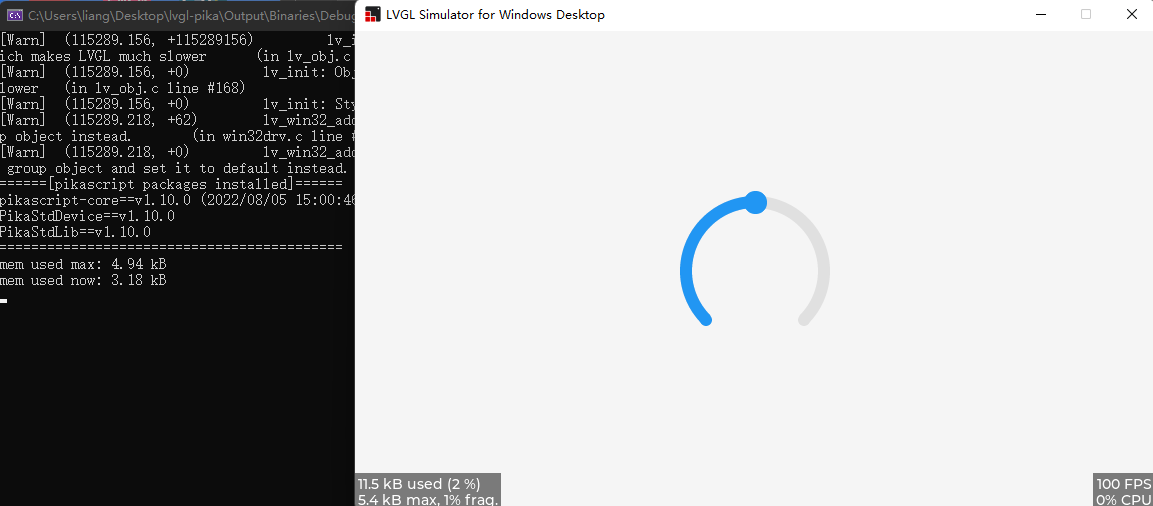
Bar Widget#
import pika_lvgl as lv
import PikaStdLib
mem = PikaStdLib.MemChecker()

bar1 = lv.bar(lv.scr_act())
bar1.set_size(200, 20)
bar1.center()
bar1.set_value(70, lv.ANIM.OFF)

print('mem used max: %0.2f kB' % (mem.getMax()))
print('mem used now: %0.2f kB' % (mem.getNow()))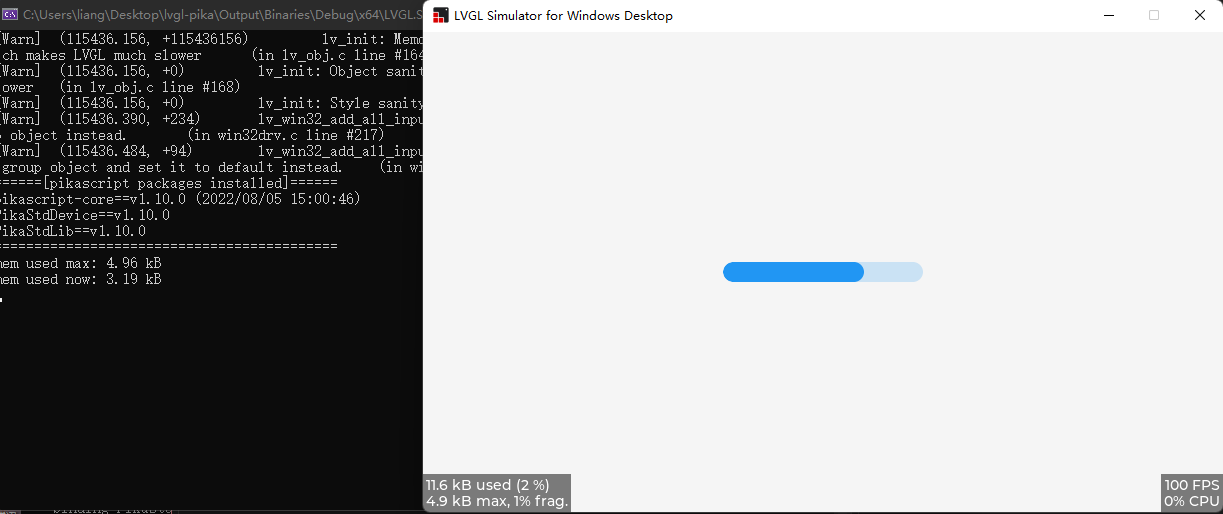
Button Widget#
import pika_lvgl as lv
import PikaStdLib
mem = PikaStdLib.MemChecker()


def event_cb_1(evt):
    print('in evt1')
    print('mem used now: %0.2f kB' % (mem.getNow()))


def event_cb_2(evt):
    print('in evt2')
    print('mem used now: %0.2f kB' % (mem.getNow()))


btn1 = lv.btn(lv.scr_act())
btn1.align(lv.ALIGN.TOP_MID, 0, 10)
btn2 = lv.btn(lv.scr_act())
btn2.align(lv.ALIGN.TOP_MID, 0, 50)
btn1.add_event_cb(event_cb_1, lv.EVENT.CLICKED, 0)
btn2.add_event_cb(event_cb_2, lv.EVENT.CLICKED, 0)

print('mem used max: %0.2f kB' % (mem.getMax()))
print('mem used now: %0.2f kB' % (mem.getNow()))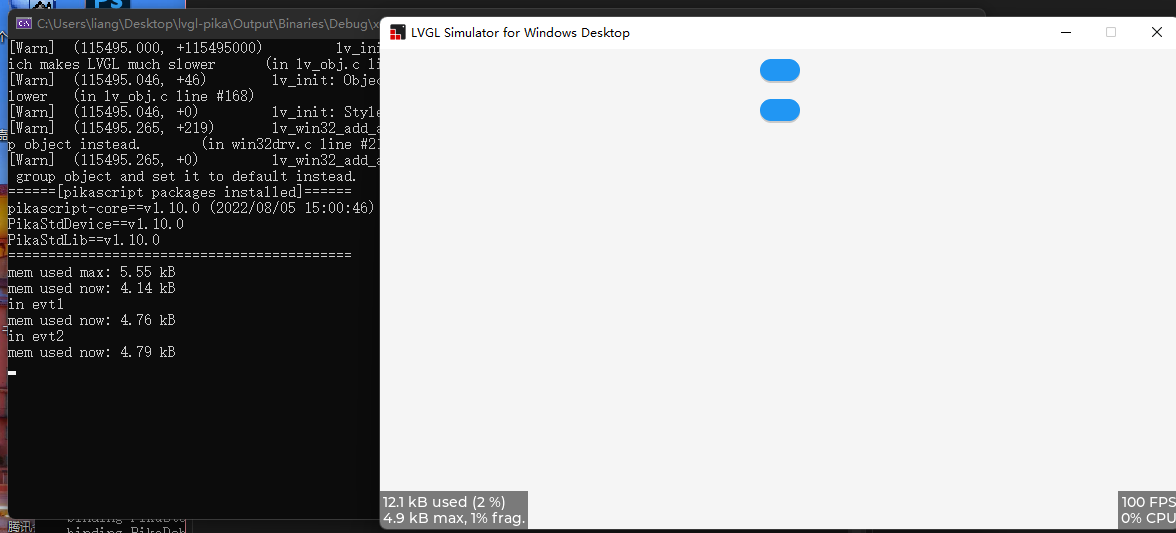
Checkbox Widget#
import pika_lvgl as lv
import PikaStdLib
mem = PikaStdLib.MemChecker()

cb = lv.checkbox(lv.scr_act())
cb.set_text("Apple")
cb.align(lv.ALIGN.TOP_LEFT, 0 ,0)

cb = lv.checkbox(lv.scr_act())
cb.set_text("Banana")
cb.add_state(lv.STATE.CHECKED)
cb.align(lv.ALIGN.TOP_LEFT, 0 ,30)

cb = lv.checkbox(lv.scr_act())
cb.set_text("Lemon")
cb.add_state(lv.STATE.DISABLED)
cb.align(lv.ALIGN.TOP_LEFT, 0 ,60)

cb = lv.checkbox(lv.scr_act())
cb.add_state(lv.STATE.CHECKED | lv.STATE.DISABLED)
cb.set_text("Melon")
cb.align(lv.ALIGN.TOP_LEFT, 0 ,90)

print('mem used max: %0.2f kB' % (mem.getMax()))
print('mem used now: %0.2f kB' % (mem.getNow()))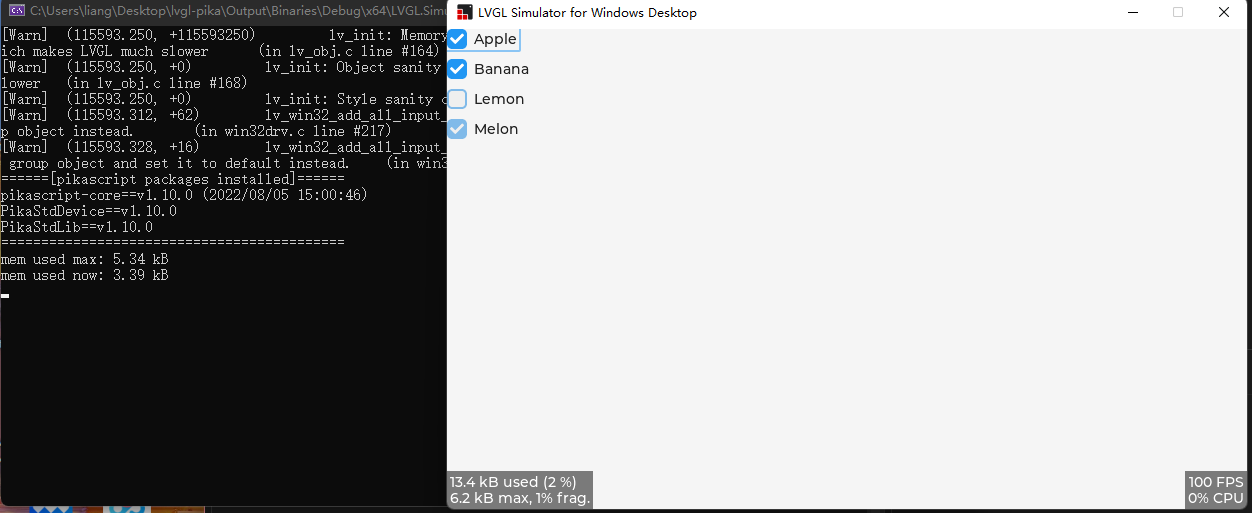
Drag and Drop#
import pika_lvgl as lv
from PikaStdLib import MemChecker

mem = MemChecker()

def drag_event_handler(e):

    obj = e.get_target()

    indev = lv.indev_get_act()

    vect = lv.point_t()
    indev.get_vect(vect)
    x = obj.get_x() + vect.x
    y = obj.get_y() + vect.y
    obj.set_pos(x, y)
    mem.now()


# Make an object draggable

obj = lv.obj(lv.scr_act())
obj.set_size(150, 100)
obj.add_event_cb(drag_event_handler, lv.EVENT.PRESSING, None)

label = lv.label(obj)
label.set_text("Drag me")
label.center()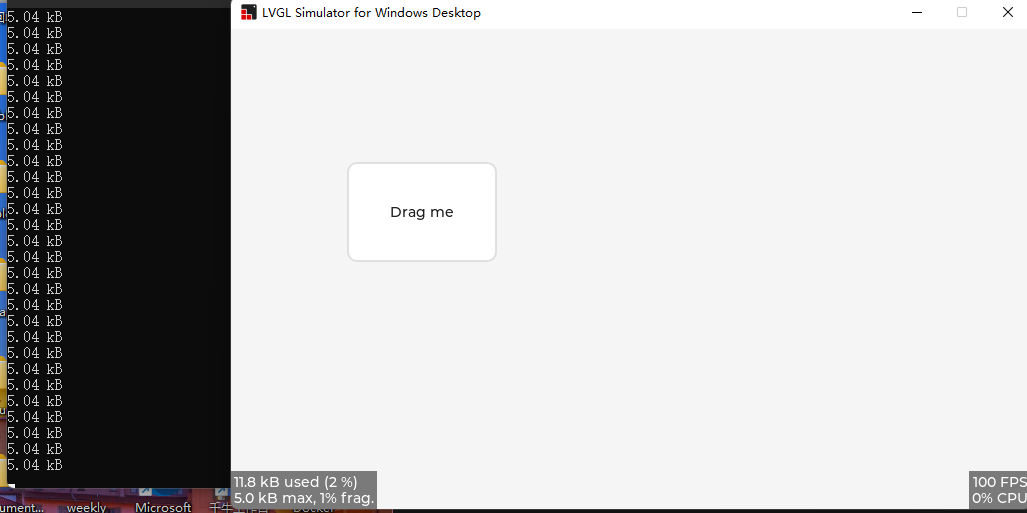
Label Widget#
import pika_lvgl as lv
import PikaStdLib
mem = PikaStdLib.MemChecker()

label1 = lv.label(lv.scr_act())
LV_LABEL_LONG_WRAP = 0
label1.set_long_mode(LV_LABEL_LONG_WRAP)      # Break the long lines
# Enable re-coloring by commands in the text
label1.set_recolor(True)
label1.set_text("#0000ff Re-color# #ff00ff words# #ff0000 of a# label, \
align the lines to the center and  wrap long text automatically.")
# Set smaller width to make the lines wrap
label1.set_width(150)
label1.set_style_text_align(lv.ALIGN.CENTER, 0)
label1.align(lv.ALIGN.CENTER, 0, -40)

LV_LABEL_LONG_SCROLL_CIRCULAR = 3
label2 = lv.label(lv.scr_act())
label2.set_long_mode(LV_LABEL_LONG_SCROLL_CIRCULAR)  # Circular scroll
label2.set_width(150)
label2.set_text("It is a circularly scrolling text. ")
label2.align(lv.ALIGN.CENTER, 0, 40)

print('mem used max: %0.2f kB' % (mem.getMax()))
print('mem used now: %0.2f kB' % (mem.getNow()))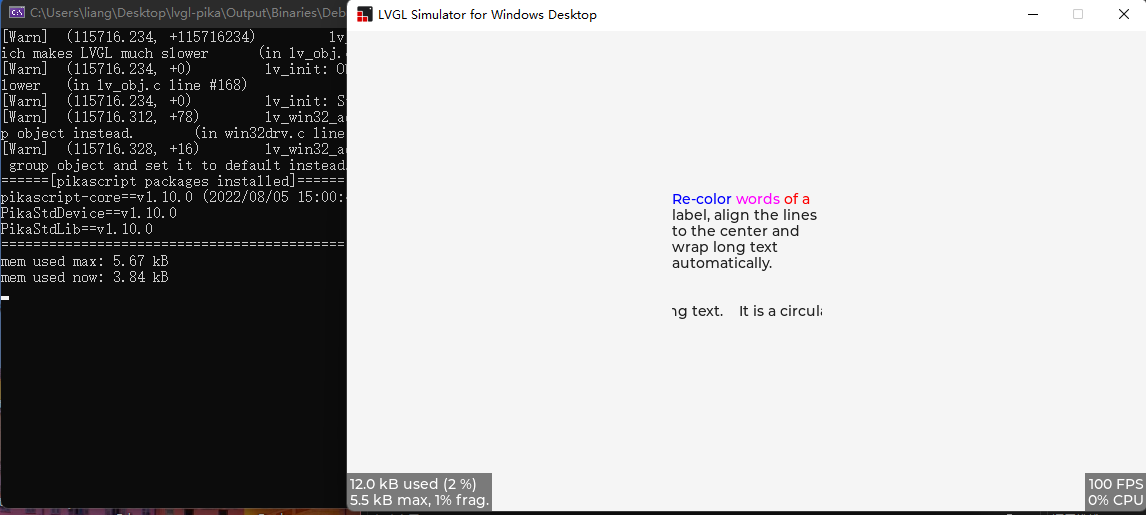
How Does It Work?#
PikaScript has a unique C module smart binding tool.
Just write the Python interface in pika_lvgl.pyi (.pyi is the Python interface file):
# pika_lvgl.pyi
class arc(lv_obj):
    def set_end_angle(self, angle: int): ...
    def set_bg_angles(self, start: int, end: int): ...
def set_angles(self, start: int, end: int): ...Then PikaScript's pre-compiler can automatically bind the following C functions, simply by naming the functions in the module_class_method format, without any additional work. All binding and registration is done automatically:
/* pika_lvgl_arc.c */
void pika_lvgl_arc_set_end_angle(PikaObj* self, int angle) {
    lv_obj_t* lv_obj = obj_getPtr(self, "lv_obj");
    lv_arc_set_end_angle(lv_obj, angle);
}

void pika_lvgl_arc_set_bg_angles(PikaObj *self, int start, int end){
    lv_obj_t* lv_obj = obj_getPtr(self, "lv_obj");
    lv_arc_set_bg_angles(lv_obj, start, end);
}

void pika_lvgl_arc_set_angles(PikaObj *self, int start, int end){
    lv_obj_t* lv_obj = obj_getPtr(self, "lv_obj");
    lv_arc_set_angles(lv_obj, start, end);
}To use the module, just import pika_lvgl and the precompiler will automatically scan main.py and bind the pika_lvgl module:
$ ./rust-msc-latest-win10.exe
(pikascript) packages installed:
    pikascript-core==v1.10.0
    PikaStdLib==v1.10.0
    PikaStdDevice==v1.10.0

(pikascript) pika compiler:
  scaning main.py...
    binding pika_lvgl.pyi...
The precompiler is written in Rust, runs on Windows and Linux, and is completely open source.
In addition to binding C modules, the precompiler compiles Python scripts to bytecode on the PC, reducing the size of the script and increasing its speed.
Getting Started#
The simulation repo on Visual Studio is available at https://github.com/pikasTech/lv_pikascript