The i.MX RT595 EVK features NXP's advanced implementation of the ARM Cortex-M33 core, combined with an advanced GPU called VGLITE.
NXP i.MX RT595 EVK LVGL Demo
i.MX RT595 EVK earned Standard LVGL board certification which means the users can be sure that it's easy to use that board with LVGL and they can expect decent performance and quality.

Buy now#
The i.MX RT595 EVK board can be purchased directly from NXP or its distributors. See here.
Specification#
Performance#
Frame rate (FPS)#
The MCU's 200 MHz clock speed and its ARM Cortex-M33 architecture are enough for the 392x392 display to create state-of-the-art UIs with image transformations, animations, opacity, and a lot of assets. i.MX RT595 has VGLITE GPU that supports not only blending but rasterization of vector graphics too. (Although these features of the GPU are not used in the benchmark demo.)
The MCU is equipped with an LCD controller to drive the display directly. Multiple frame buffers can be added directly to the internal RAM of the MCU. From the frame buffer(s) the MCU automatically sends the current frame to the display via MIPI-DSI interface.
The board reached 45 FPS on LVGL's certification benchmark. In the video you can see that even the most complex transformations or scrolling the whole screen with all the animations were smooth. The benchmark used the display driver from the MCUXpresso SDK as is except that the draw buffer of LVGL was placed in the internal RAM from external SRAM.
Memory#
The i.MX RT595 chip has plenty of internal memory (5 MB RAM) and external memory (8 MB RAM and > 64 MB flashes) as well. Let's see what graphics configuration can work with these memories.
Only internal RAM#
The 5 MB internal RAM can be used to store even 2 whole frame buffers: 392 x 392 x 16bit x 2 frame buffers = 713 kB. It's amazing because framebuffers are usually stored in external SRAM which is much slower than the internal RAM. This way no need for other draw buffers for LVGL and LVGL can render directly to the inactive framebuffer.
Frame buffer(s) in external RAM#
Basically not needed because frame buffers for screen sizes reasonable for this MCU should fit into internal RAM.
Storing assets#
Images and fonts can be stored in 4 kinds of memories:
- QSPI flashes: fast, non-volatile, and large
- eMMC: the slowest but have a huge size
- Internal or External RAM: fast, volatile, and middle sized. If there are performance issues due to the memory bandwidth it's possible to load the assets from the SD card or external flash here during initialization.
Quality#
Display#
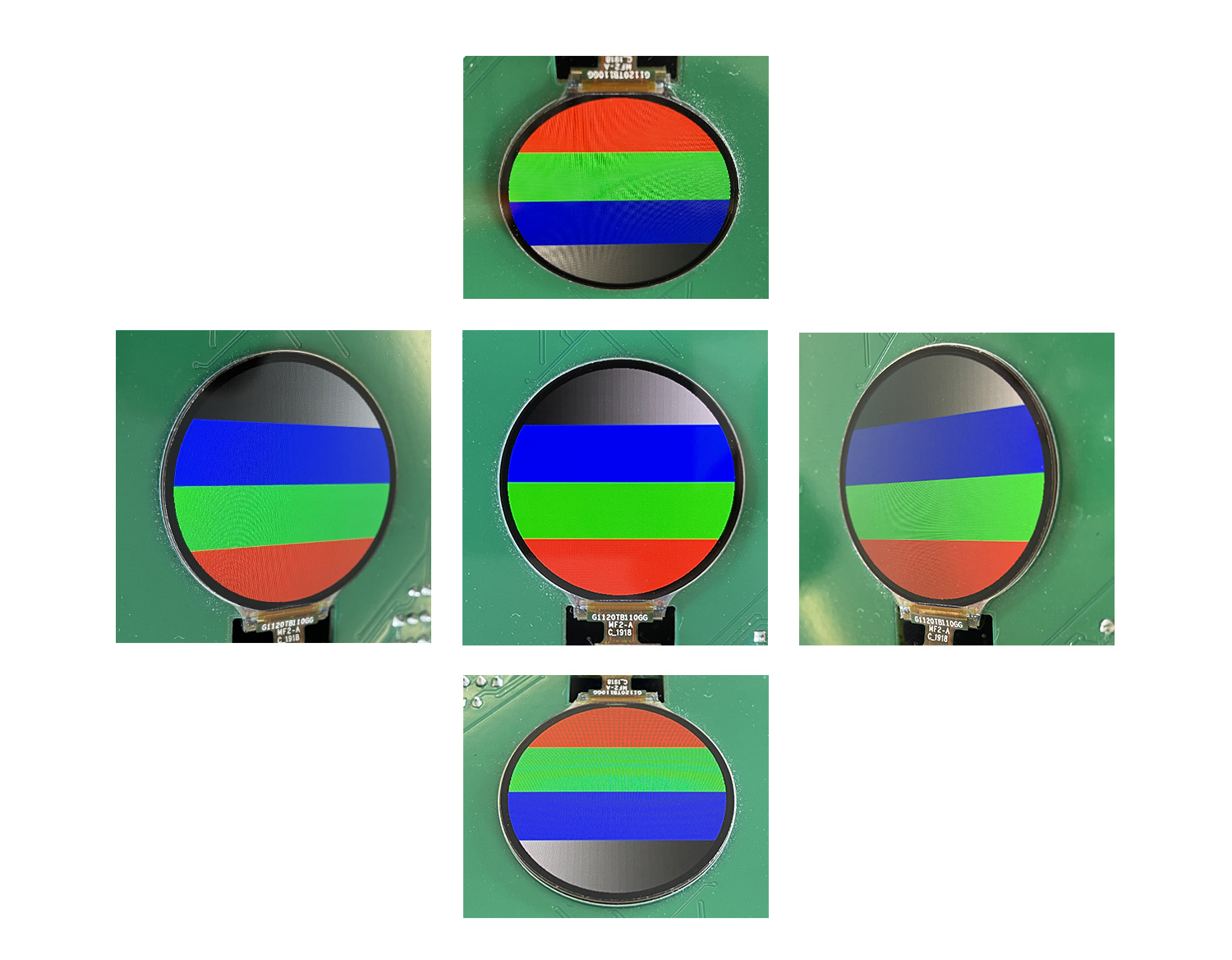
The board comes with a round 1.2" display that has exceptionally high DPI (326 px/inch). The display is built with IPS technology so its viewing angle and color correctness are above average. The brightness seemed a little bit low.
Touchpad#
i.MX RT595-EVK is built with a capacitive touchpad. Therefore it recognizes touches with a good precision and provides a smartphone-like experience. The drawback is that the touchpad cannot be used in gloves or with a pen.
Robustness#
i.MX RT595-EVK is a development board for evaluation and not designed to be added to an end-product. Although there are holes to mount the board, the display is not glued to the board.
The schematic of the board is publicly available and it can be a good starting point to develop your custom board based on i.MX RT595 EVK.
Development#
You can start to work with i.MX RT595 EVK in many IDEs including MCUXpresso, Keil or IAR.
MBedOS and Zephyr are not supporting this board at the moment of writing.
Of course, NXP's MCUXpresso supports this board with plenty of ready-to-use examples and applications (including UI application with LVGL).
The board is equipped with programmer/debugger so all you need to do is connect the USB cable and hit the Run or Debug buttons. We have tested the board with MCUXpresso and the debug experiment was very smooth. The usual debug features of Eclipse were working well.
GUI Guider - a free UI Editor from NXP based on LVGL - also supports the i.MX RT500 MCU.
Conclusion#
i.MX RT595 EVK is built with the powerful i.MX RT595 MCU. The 200 MHz clock speed, the VGLITE GPU, and the plenty of internal RAM makes it a perfect choice to create eye-catching user interfaces.
The vector graphics features of VGLITE are not supported in LVGL yet however from the examples and the help of the Reference guide you can draw vector graphics on an lv_canvas.
Due to the many examples of MCUXpresso, the amazing capabilities of the MCU, and the publicly available schematic, i.MX RT595 EVK is an amazing product to get started with UI development.