Hello everyone! We are very excited to announce the release of LVGL Pro 2.1! 🎉 🥳 As you may recall, version 2.0 was a major upgrade. What could we improve after that? Well, as it turns out, everything...
Download LVGL Pro 2.1 and try it for yourself.
There are some small breaking and behavioral changes. Please see those at the end of this post.
New Features#
LVGL v9.6 Support#
Set it with lvgl_version="9.6.0" in project.xml. New projects use v9.6 by default; the VS Code, Zephyr, and Linux templates are all updated.
<project name="reference_project" lvgl_version="9.6.0">
	...
</project>Speed#
We've reworked how the Preview updates. Our goal is to make it update as fast as you can type. 🏎️ We think it's pretty close. 👌🏻

On top of that, picking a license now takes a couple seconds instead of 10+ seconds.
Oh, and the CLI starts about 3× faster.
Vector Graphics Support#
SVG, Lottie, and vector graphics (ThorVG) are enabled in the Preview on LVGL v9.5 and v9.6.
We've simply enabled these in the Editor's Preview. We have not yet added first-class support in XML for these.
New in v2.1: a <file src_path="….svg"> image is decoded by the Preview runtime.

Color Subjects#
Subjects can now hold a color. Any color attribute or style property can bind to one, and the Subjects panel shows a color picker for it.
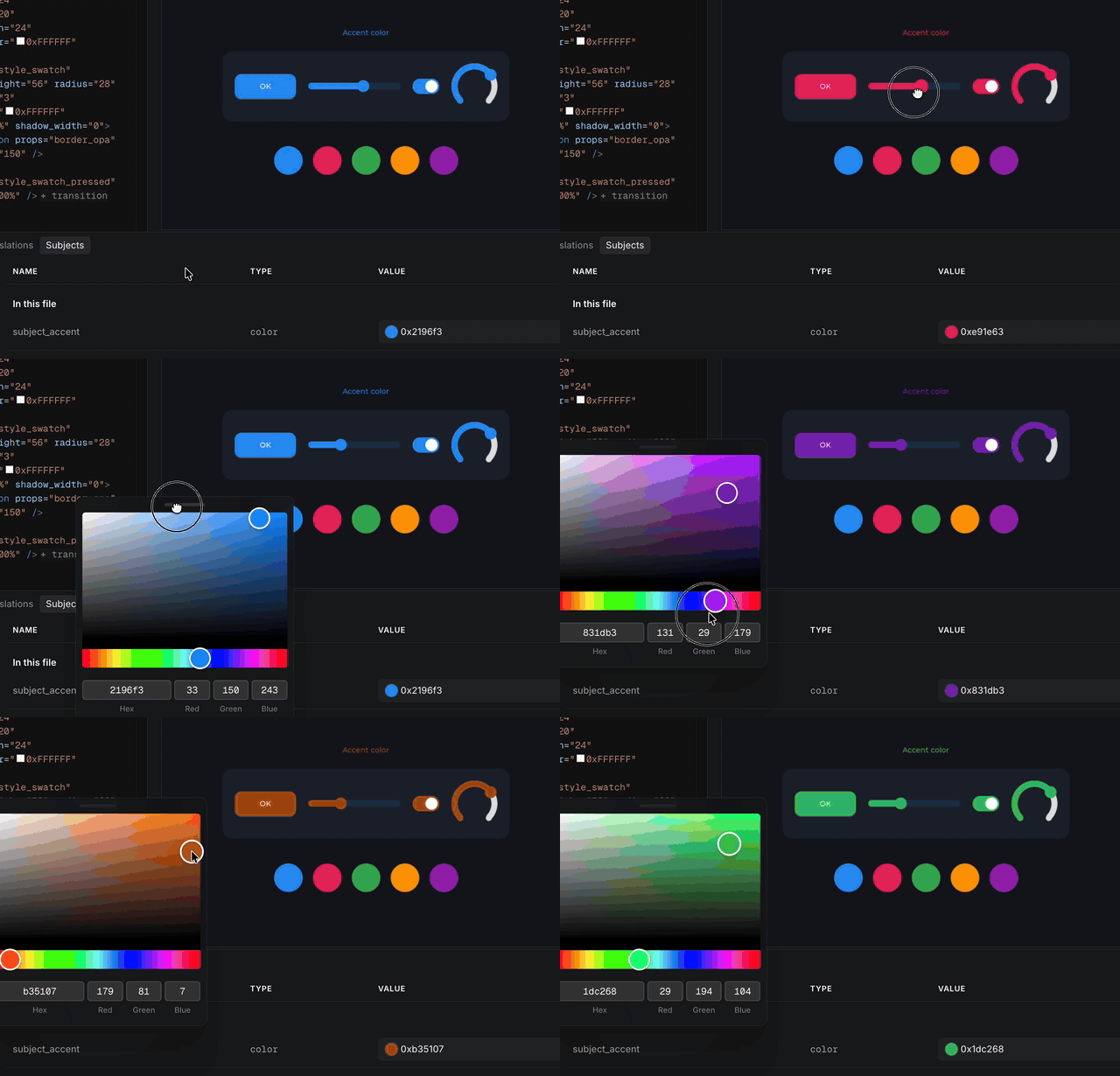
From C:
lv_subject_set_color(subject_accent, lv_color_hex(0x4caf50));Style Transitions and Easing#
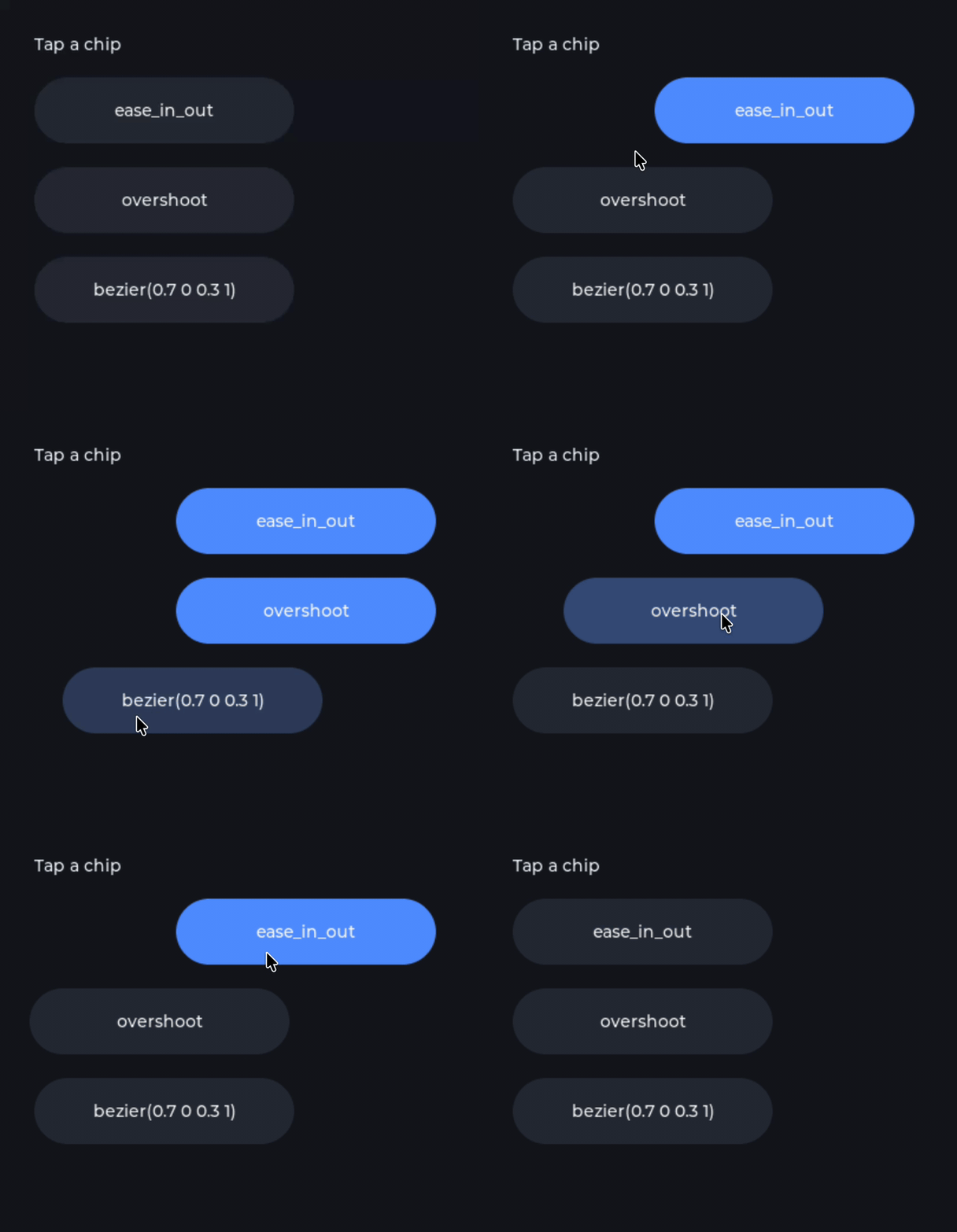
<transition props="…" duration="…" easing="…"/> inside a <style>. easing also works on <animation> and takes a built-in path, bezier(x1 y1 x2 y2), or your own easing callback.
Hardware Frame Overlay and Keyboard Input#
Draw a device bezel around the Preview with clickable hardware buttons that send key events. The Preview now has keyboard input and gridnav, so you can test keypad and encoder UIs without hardware.
This feature was highly requested internally and loved by the users who got an early preview. We've found it works wonders for product teams to situate the UI in the hardware context.
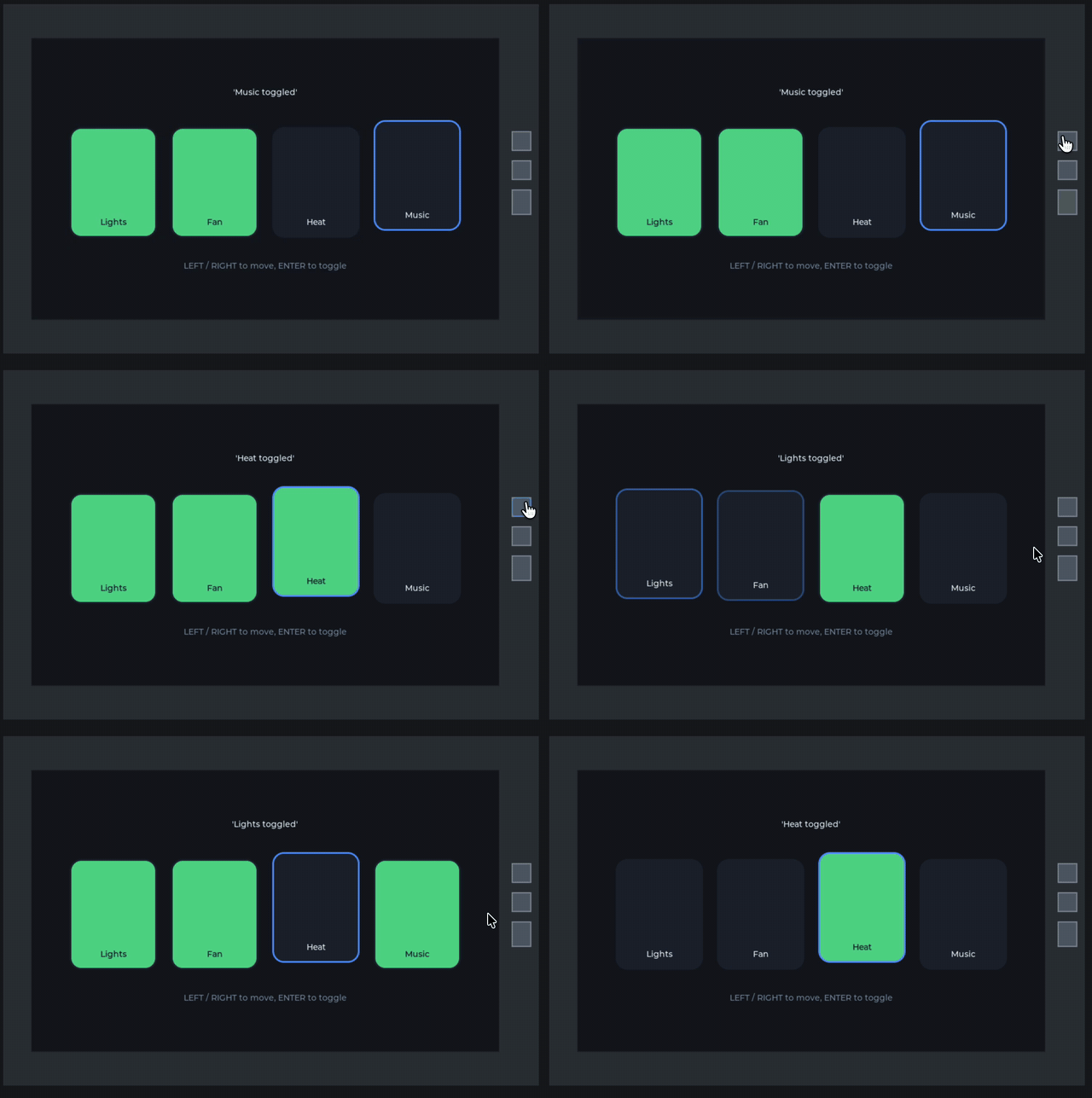
How the arrow keys move between tiles (XML + C)
The overlay buttons send key events. To let the arrow keys move between the tiles, the tile row turns on gridnav with a few lines of C. The XML calls it once, right after the row is created:
<!-- screens/hardware_demo.xml -->
<lv_obj flex_flow="row" width="content" height="content">
	<!-- runs once after creation -->
	<event_cb callback="tiles_gridnav_cb" trigger="{true}"/>

	<lv_button checkable="true">
		<style name="style_tile"/>
		<style name="style_tile_focus" selector="focus_key"/>
		<style name="style_tile_on" selector="checked"/>
		<lv_label text="Lights" align="bottom_mid"/>
	</lv_button>
	<!-- … Fan, Heat, Music -->
</lv_obj>/* examples_announce_pro_2_1_0.c */
void tiles_gridnav_cb(lv_event_t * e)
{
lv_obj_t * row = lv_event_get_current_target_obj(e);
lv_group_t * group = lv_group_get_default();
if(group == NULL) return;
lv_gridnav_add(row, LV_GRIDNAV_CTRL_ROLLOVER);
/* gridnav moves focus between the tiles, so only the row itself goes in the group */
uint32_t cnt = lv_obj_get_child_count(row);
for(uint32_t i = 0; i < cnt; i++) lv_group_remove_obj(lv_obj_get_child(row, i));
lv_group_add_obj(group, row);
lv_group_focus_obj(row);
}The left and right buttons move focus, which applies style_tile_focus via the focus_key selector. Enter is passed on to the focused tile, which toggles its checked state.
Reactive XML#
Bindable Properties#
<prop bindable="true"> makes a component property follow a subject from outside. Give it an expression and it updates whenever the subject changes.
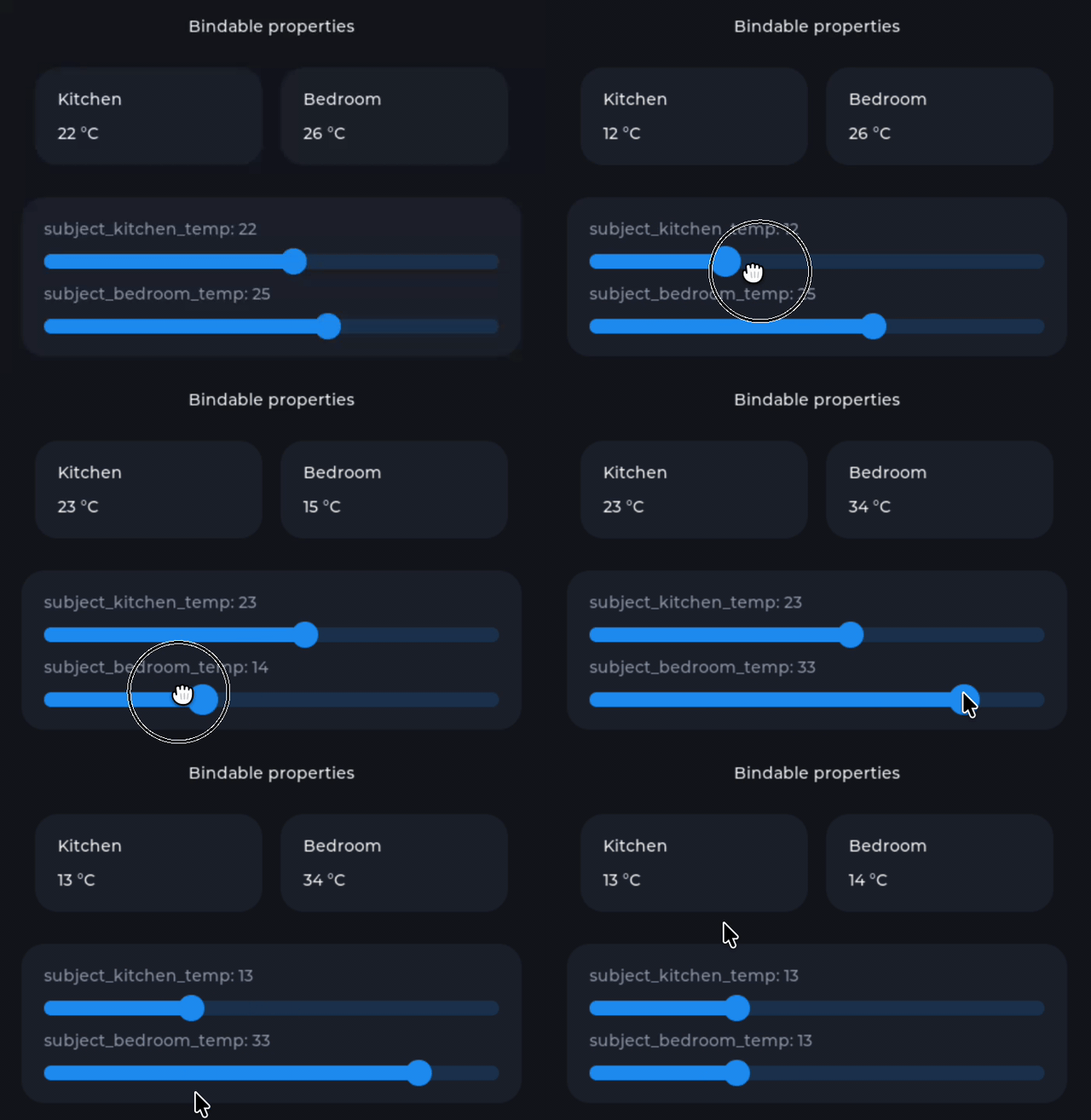
Exported C code also gets a public setter and getter for the property:
void temp_card_set_temp(lv_obj_t * obj, int32_t temp);
int32_t temp_card_get_temp(lv_obj_t * obj);A plain (non-bindable) prop is read once at creation, so {room} above does not update later.
Per-Instance Subjects#
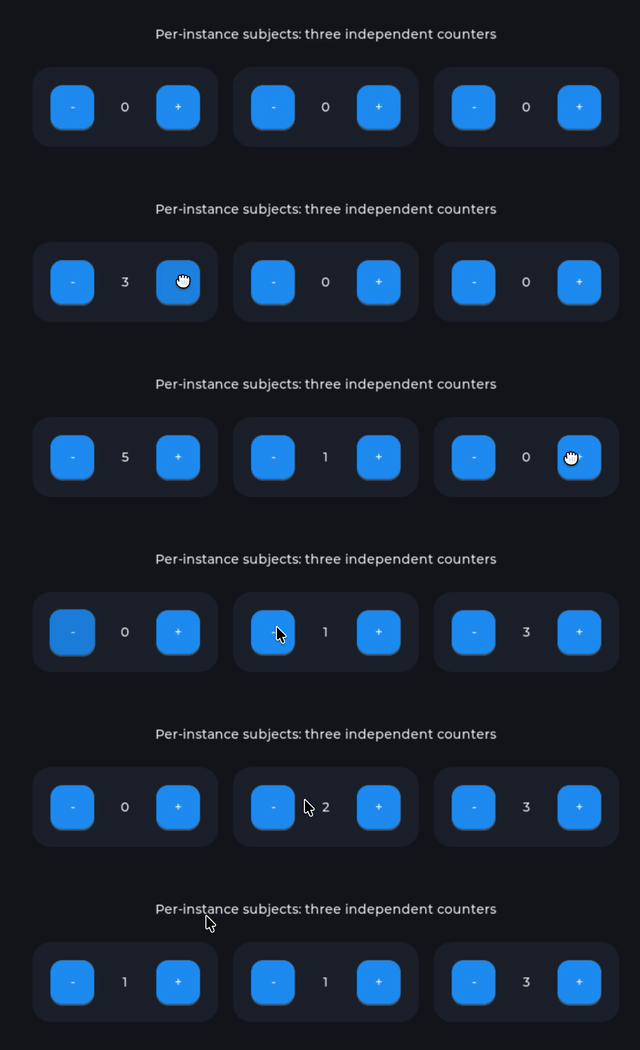
Components and screens can declare their own <subjects>. Every instance gets a private copy that starts at the declared value. A local subject shadows a global subject with the same name. Note how the subject min/max are honored.
Conditional Styles#
<style enabled="{…}"> switches a style on and off based on a condition. The style updates whenever a subject in the condition changes.
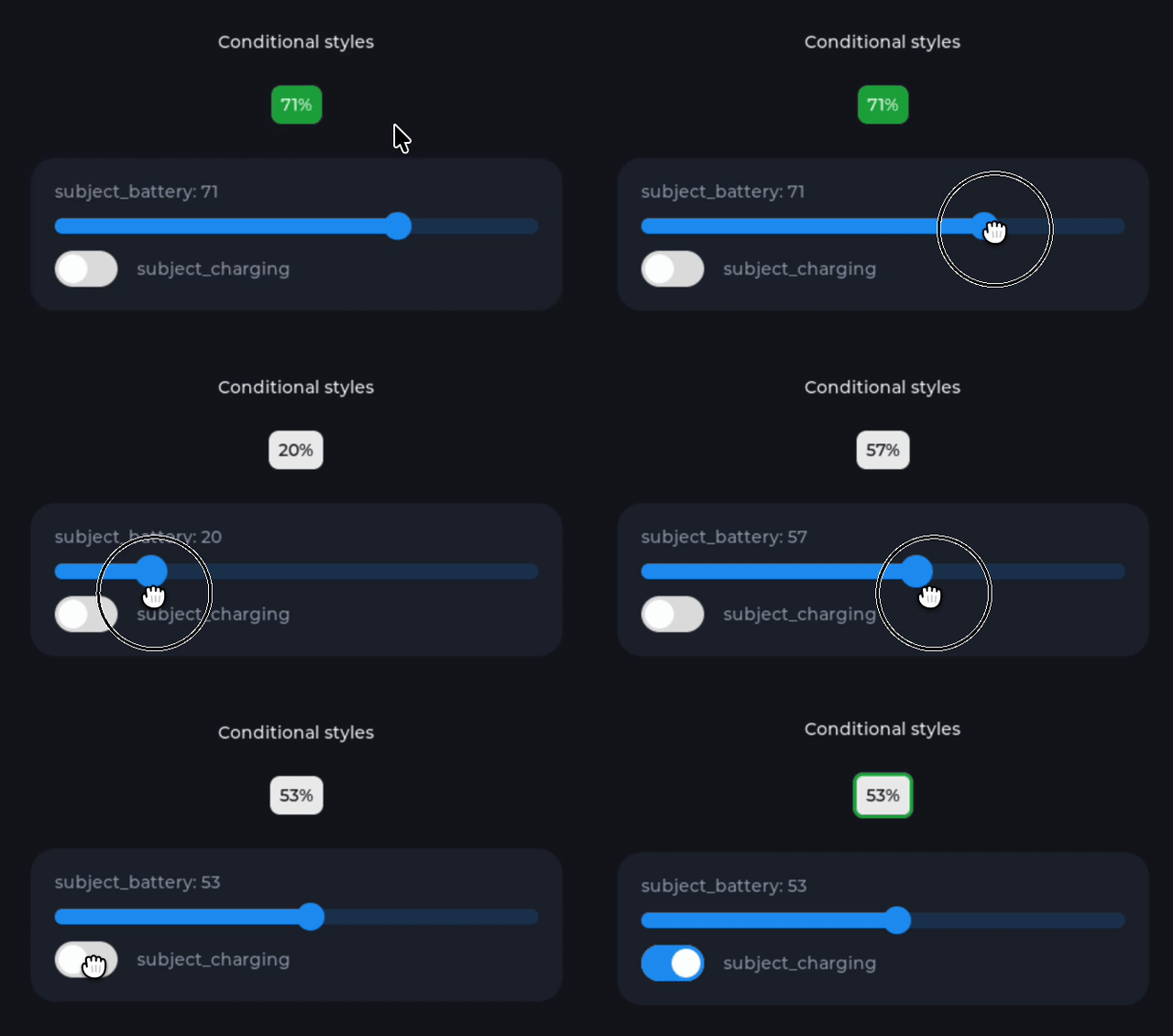
This replaces <bind_style name="style_low" subject="subject_battery" ref_value="…"/>, which could only test for equality.
AND and OR#
You can combine conditions in any { } expression. In XML attributes, & and < have to be escaped. To avoid that, LVGL 9.6 also accepts the uppercase keywords AND, OR, LT, LE, GT, GE, EQ, and NE.
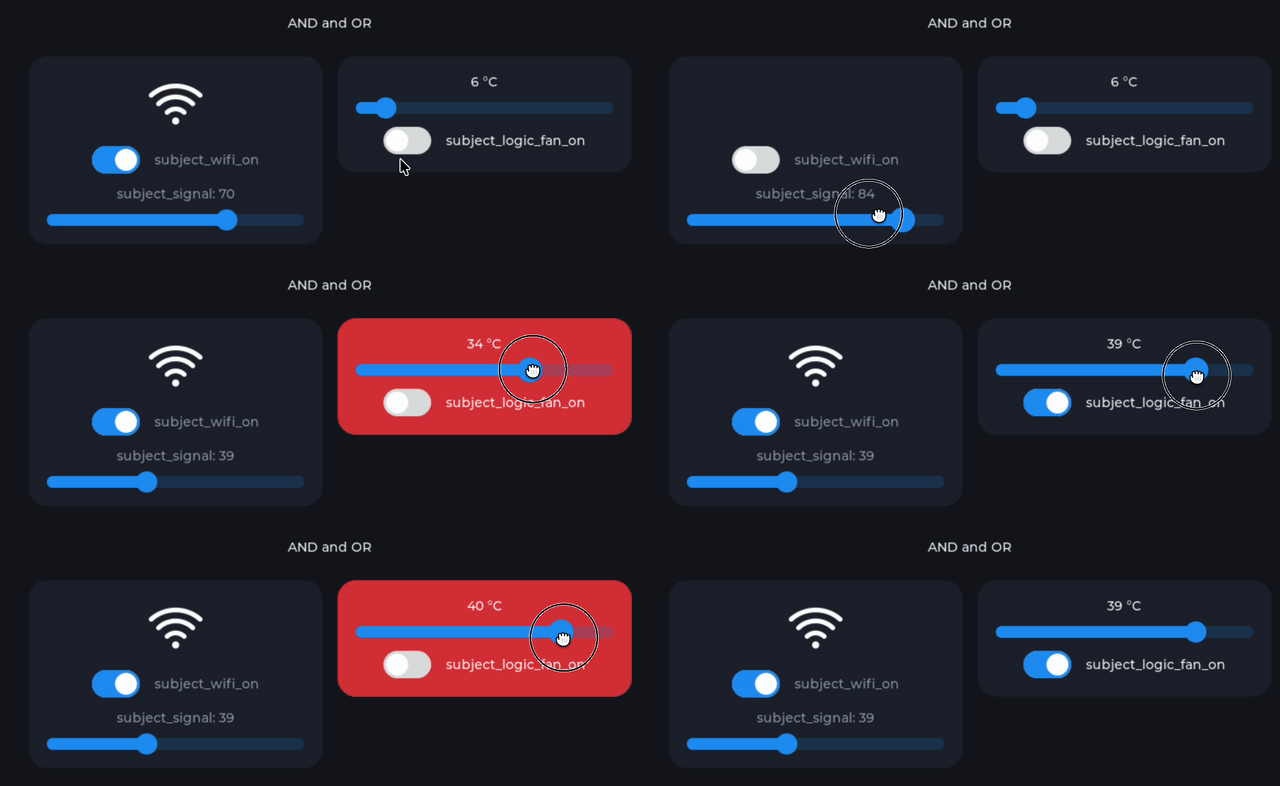
Both sides are always evaluated (there's no short-circuiting).
Expressions in set_subject_event#
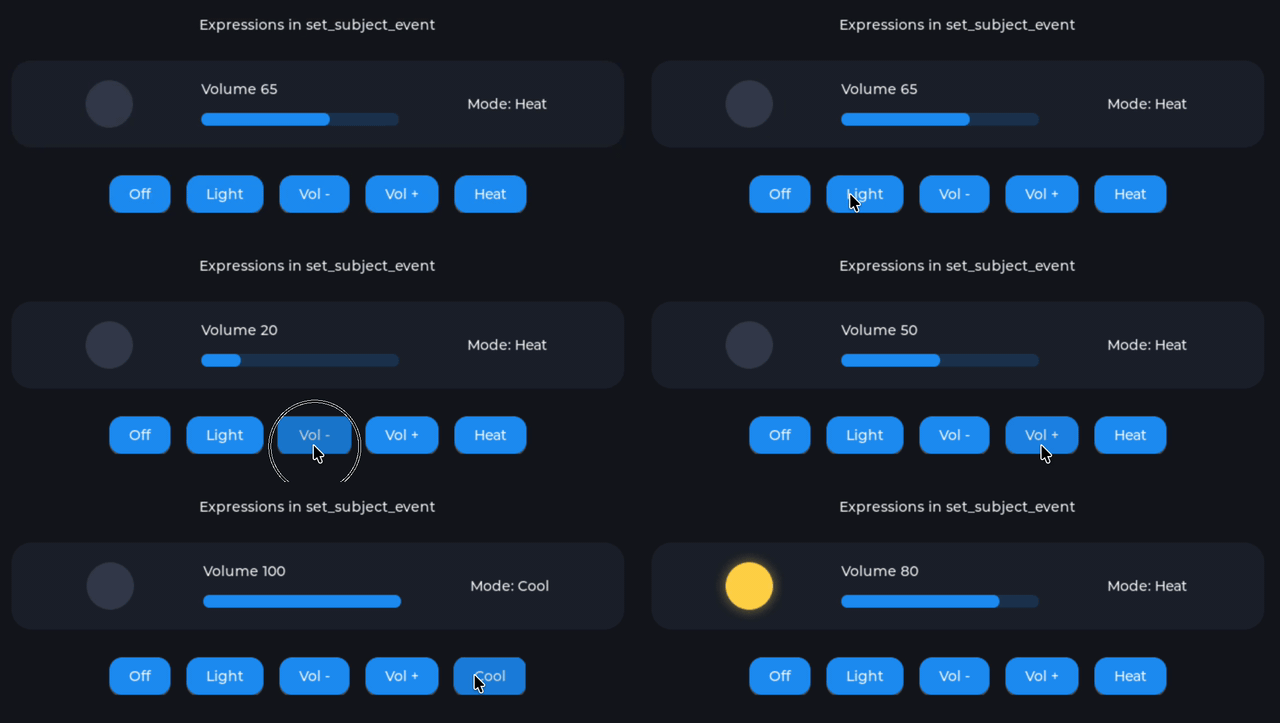
A value written in { } is evaluated each time the event fires, and the subject's min_value/max_value clamp the result. One event can therefore set, toggle, step, or cycle a value. This replaces <subject_set_int_event>, <subject_toggle_event>, and <subject_increment_event>.
Expression Triggers#
Any event can take trigger="{expr}" instead of an event name. The action runs every time the expression goes from false to true, and also right away if it is already true at creation.
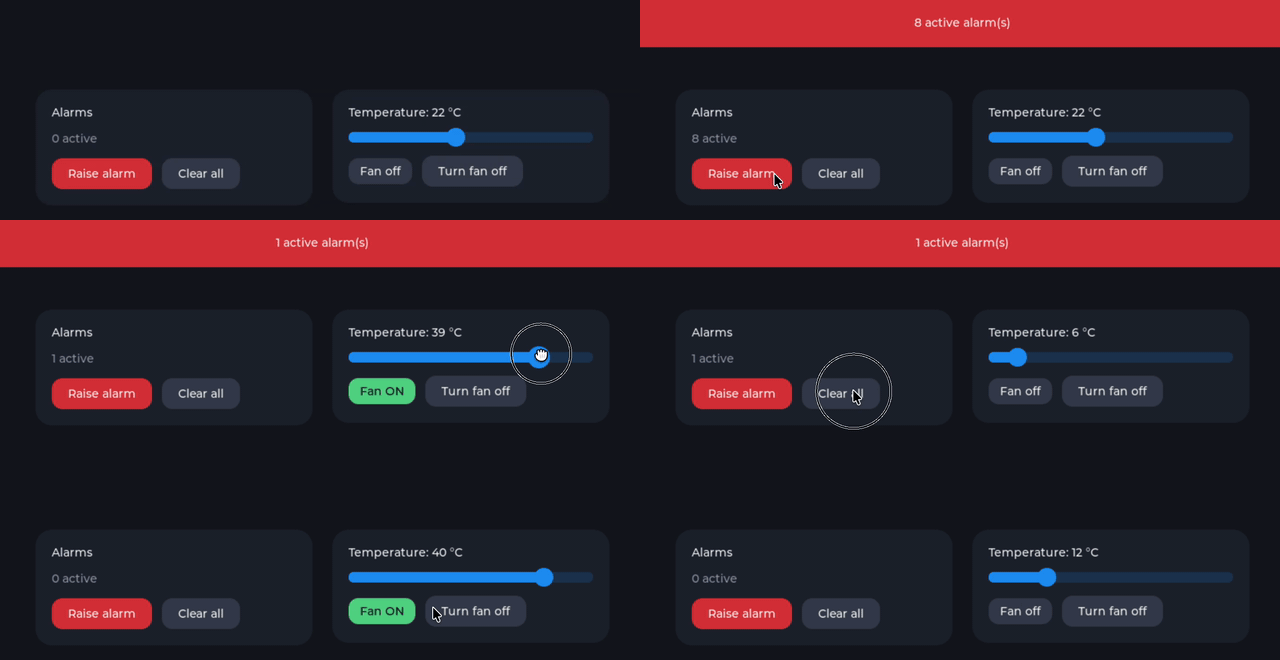
An expression without any subjects is evaluated once. If it evaluates to a name instead of true or false, that name is used as the event, e.g. trigger="{compact ? long_pressed : clicked}".
Honorable Mentions: Also in 2.1#
- The CLI didn't support Mac Intel. Now it does.
- CLI screenshot command can take
targetandlanguage:lvglpro screenshot --target … --language …. - You can use your own
emsdkinstall (must be version 4.0.6) instead of the Editor's managed one.- Just add
emsdkto yourPATHand the Editor will pick it up. Useful for strict networks.
- Just add
<PROJECT>_COMPILE_TARGETin<project>.hsets the default responsive target(s). Existing projects keep their<project>.h; to choose targets, add#define <PROJECT>_COMPILE_TARGET ...above#include "<project>_gen.h".- Broader XML validation:
- A missing asset is reported in every attribute that refers to it
- An invalid enum value error lists the valid values
- Prop defaults and
#constvalues are type-checked - Many
{ }expression fixes
- Subject values are kept when the Preview reloads, instead of resetting to their initial values.
- As mentioned elsewhere, keyboard input to the Preview is now enabled.
Breaking Changes & Migration Steps#
Editor and CLI#
- The CLI command is now
lvglpro(waslved), and old CLI tokens do not work inlvglprov2.1+. Generate a new token at lvgl.io/pro/account and replace it wherever you use it:--token,LVGLPRO_CLI_TOKEN, CI secrets, etc. - macOS and Linux need
ninjaon the PATH to build the Preview (brew install ninja/sudo apt-get install ninja-build). Previously, the Editor usedmakeon these OSes. You still must havegitandcmakeinstalled. - New download formats: a
.dmgon macOS and an.AppImageon Linux (nolibfuse2needed), instead of.zip.- The AppImage uses zstd compression and the new static AppImage runtime, which AppImageLauncher 2.x does not support. If you use AppImageLauncher, upgrade to 3.x or uninstall it; otherwise the Editor fails to start with a "Squashfs image uses (null) compression" error. Tools such as Gear Lever work fine.
- The Preview only renders a valid project. While any file has an error, the Preview keeps its last render and names the error. Tests also follow this rule.
XML#
- On LVGL v9.6, the expression keywords are uppercase-only:
AND/OR. The lowercaseand/oronly apply on v9.5. - On LVGL v9.6,
@{ }bindings are removed. Use{ }, which is re-applied whenever a subject it reads changes. The validator flags old@{ }uses and shows the replacement. <lv_image bind_src>is removed on LVGL v9.6. Usesrc="{subject}", which also works for compiled-in images. v9.4 and v9.5 keepbind_src.- Binding a component's own property from outside requires
<prop bindable="true">. Without it, the value is only used when the instance is created, and the validator reports the binding.
Generated C Code#
- On LVGL v9.6, global subjects are exported as pointers (
extern lv_subject_t * temperature;), since they are created withlv_subject_create(). In your own C code, drop the&when you use one:lv_subject_set_int(temperature, 25)instead oflv_subject_set_int(&temperature, 25). v9.4 and v9.5 projects are unchanged.
Conclusion#
And that's a wrap! This was personally very exciting for me to write. After my team has been working so hard for so long, taking feedback from our users and our co-workers, refining, creating, adjusting... I truly didn't envision how much more evolved this release would be. I'm positively chuffed we keep upping the bar in support of our users! Cheers! 🍻