We are excited to announce 3 major improvements in v1.2.1, our latest LVGL Pro Editor release! These improvements are centered around enhanced LVGL support and a far smoother user experience.
- Bundled runtimes - the live preview now works out-of-the-box
- LVGL v9.5.0 support - with some great new features
- Local Emscripten support - bypass a costly Podman setup
Bundled Runtimes#
For the last year+, it has been necessary to compile a project in the Editor for the live preview to work. This required installing Podman and compiling liblvgl, among other steps. Now, we bundle runtimes with the Editor for the following advantages:
- The preview works immediately on installing the Editor and opening a project
- For those projects which do not have any custom C code or custom widgets (probably the majority) it is never necessary to compile
- For those projects which do require compilation for the preview to be accurate, we've bundled pre-compiled versions of
liblvgl, so only your project code has to compile - Lastly, we've bundled runtimes / libraries for LVGL v9.4.0 and v9.5.0. Which brings us to our next major announcement...
NOTE: The live preview will be innacurate / incomplete if you have custom C code / widgets and do not compile.
LVGL 9.5.0 Support#
It's been several months since LVGL v9.5.0 was released. That release included some great, new XML features. These features now have first-class support in the Editor.
NOTE: The LVGL version is set per-project by lvgl_version in the <project ...> tag in project.xml. See this example. To avoid any confusion as to which version a project is using, lvgl_version is now required.
Slots#
Slots allow a component / widget to define re-usable layouts. Or they can be used to inject any kind of custom content into a component / widget. Here is an example of a component which defines a header area and a content area:

This screen uses the template:
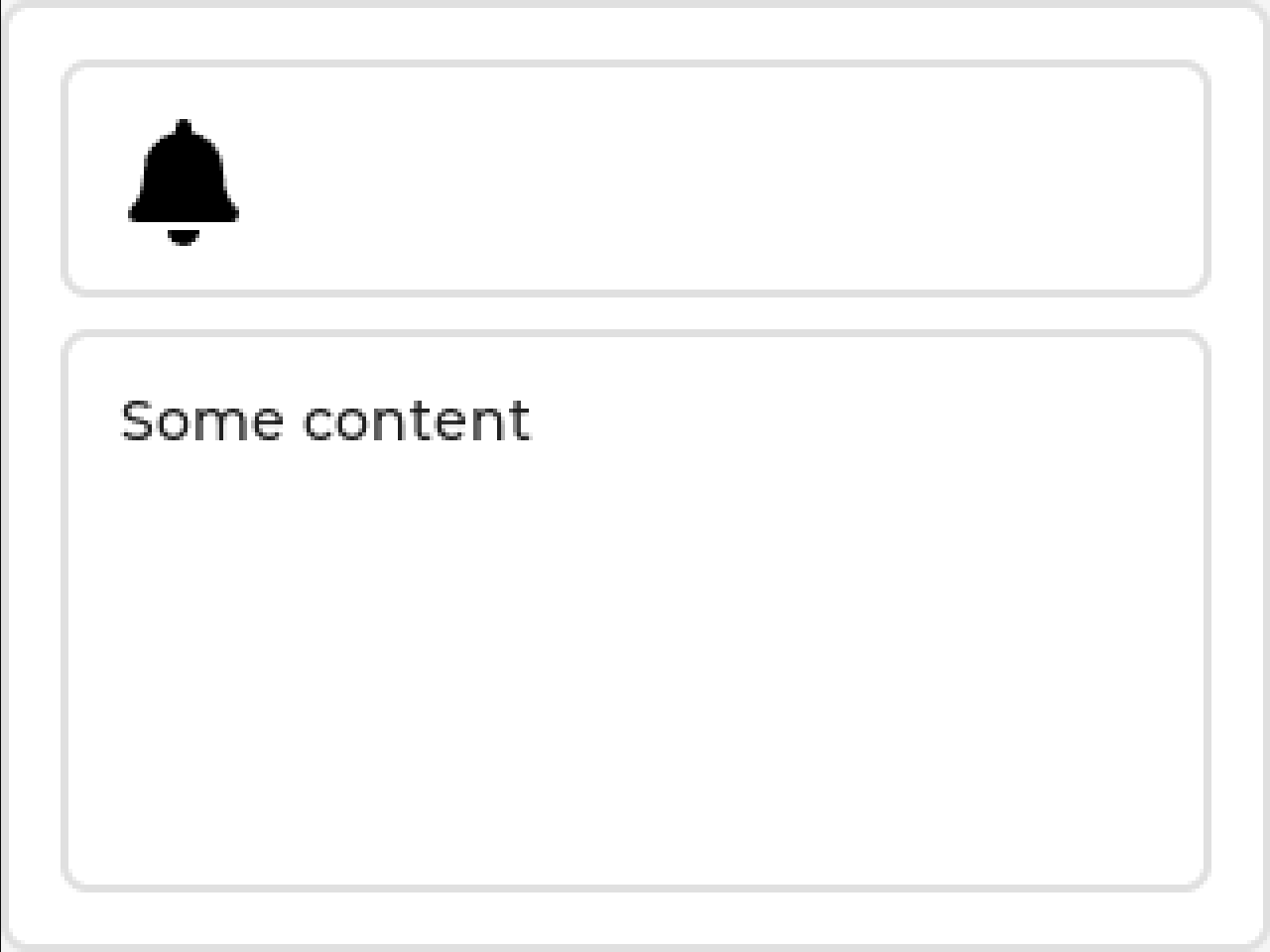
Read the full Slots reference for complete syntax, nesting rules, and additional examples.
Binding Local Style Properties#
This small but powerful features allows for binding subjects to any local style property.
You can change the opacity of a slider knob when it is dragged...
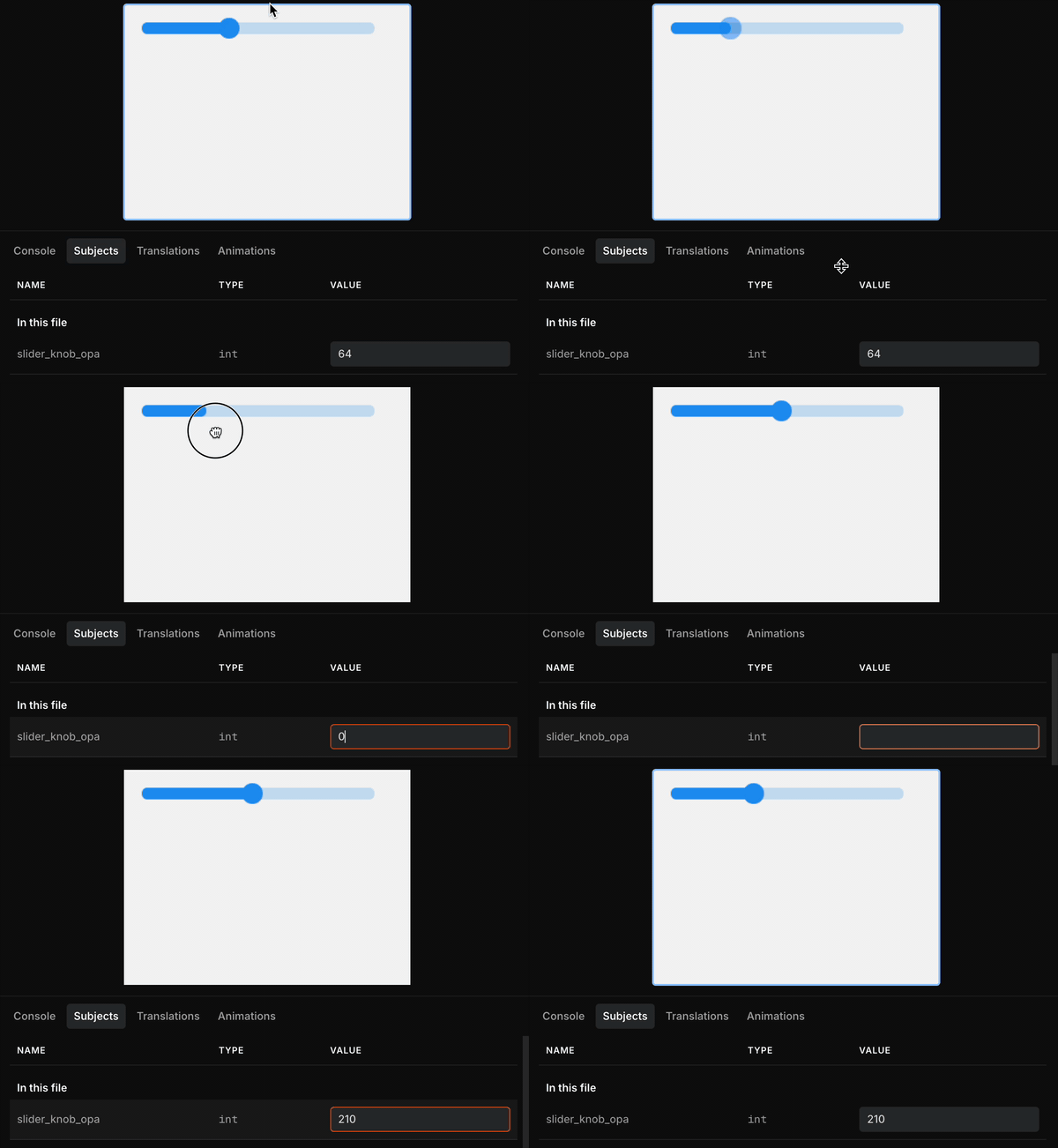
...alter a button's padding and label opacity...

(As you can see, the selector is optional.)
...or literally hundreds of other possibilities. How will you use this feature?
Read the full local style binding reference for supported properties and selector syntax.
Selector Syntax#
Lastly, selectors may be appended directly to local styles, like this example that styles the indicator of a slider only when pressed:
<lv_slider style_bg_opa-indicator-pressed="200"/>Read the local styles reference for the complete selector syntax and supported property list.
Local Emscripten Support#
I mentioned above that compilation has always been required to make the preview work, until this release. Going hand-in-hand with that, the Editor has always required a containerization service has always been required to do the compilation. The Editor first used Docker but we switched to Podman because it was lightweight and often easier to install. However, while it is an excellent containerization service, Podman also has its limitations for our uses. These include:
- The install on Mac / Windows (including LVGL's purpose-built container) is around 8Gb. (About half that on Linux.)
- The download for that is understandably slow.
- Podman has worked very reliably on Linux, but struggled in a variety of edge cases on both Mac and Windows (including but not limited to security settings and WSL setup).
Bundled runtimes has resolved much of this pain by making compilation optional. However, we wanted to do even better than that. To that end, we have been testing local installation of the Emscripten toolchain for about half a year. We've found it to be an excellent replacement to Podman and now we encourage you to use it, too.
The benefits include:
- Requires ~1/4 the disk space as Podman on Mac / Windows.
- The Emscipten project has done a fantastic job making the toolchain manageable and installable, on all OSes.
- On Mac and Windows, compilation runs noticeably faster.
Prerequisites:
gitPython >= 3.10- build tool:
ninjaon Windows andmakeon Mac/Linux
Then, the following setup is required to support image conversion:
python3 -m pip install pypng lz4NOTE: we are considering how to best automate all of that ☝🏻 installation.
Lastly, you need to launch the Editor with the CLI arg local-emsdk.
/Applications/LVGL\ Editor.app/Contents/MacOS/LVGL\ Editor local-emsdkThen, when you go to compile the first time, the Editor will offer to fully install and set up Emscripten 4.0.6.
Conclusion#
We hope you try out this release of the LVGL Pro Editor. And we sincerely hope it betters your experience. These were the main improvements to mention, but we also completed many bugfixes. Feel free to check out the release notes. (If you're into that sort of thing.)
Cheers! 🍻