C
Simple window
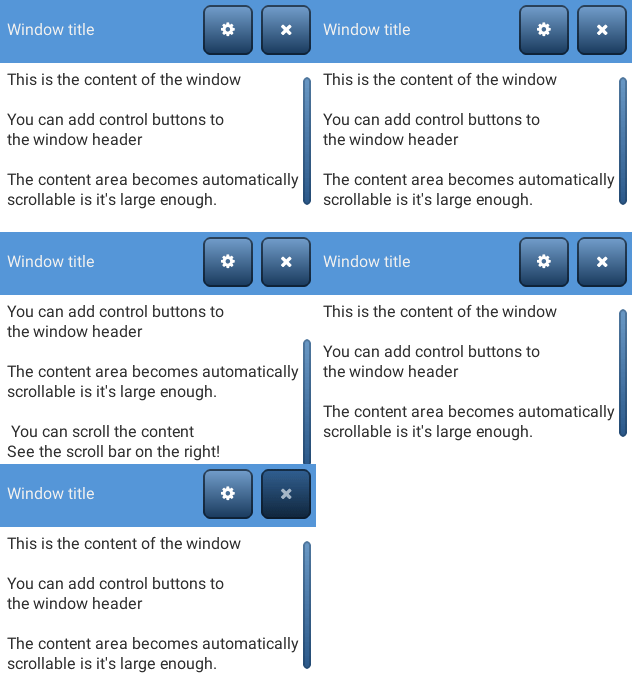
code
#include "lvgl/lvgl.h"

void lv_ex_win_1(void)
{
    /*Create a window*/
    lv_obj_t * win = lv_win_create(lv_scr_act(), NULL);
    lv_win_set_title(win, "Window title");                        /*Set the title*/


    /*Add control button to the header*/
    lv_obj_t * close_btn = lv_win_add_btn(win, LV_SYMBOL_CLOSE);           /*Add close button and use built-in close action*/
    lv_obj_set_event_cb(close_btn, lv_win_close_event_cb);
    lv_win_add_btn(win, LV_SYMBOL_SETTINGS);        /*Add a setup button*/

    /*Add some dummy content*/
    lv_obj_t * txt = lv_label_create(win, NULL);
    lv_label_set_text(txt, "This is the content of the window\n\n"
                           "You can add control buttons to\n"
                           "the window header\n\n"
                           "The content area becomes automatically\n"
                           "scrollable is it's large enough.\n\n"
                           " You can scroll the content\n"
                           "See the scroll bar on the right!");
}
MicroPython
Simple window
code
# Create a window
win = lv.win(lv.scr_act())
win.set_title("Window title")                 # Set the title


# Add control button to the header
close_btn = win.add_btn(lv.SYMBOL.CLOSE)      # Add close button and use built-in close action
close_btn.set_event_cb(lv.win.close_event_cb)
win.add_btn(lv.SYMBOL.SETTINGS)               # Add a setup button

# Add some dummy content
txt = lv.label(win)
txt.set_text(
"""This is the content of the window

You can add control buttons to
the window header

The content area becomes automatically
scrollable is it's large enough.

You can scroll the content
See the scroll bar on the right!"""
)