C
Simple Tabview
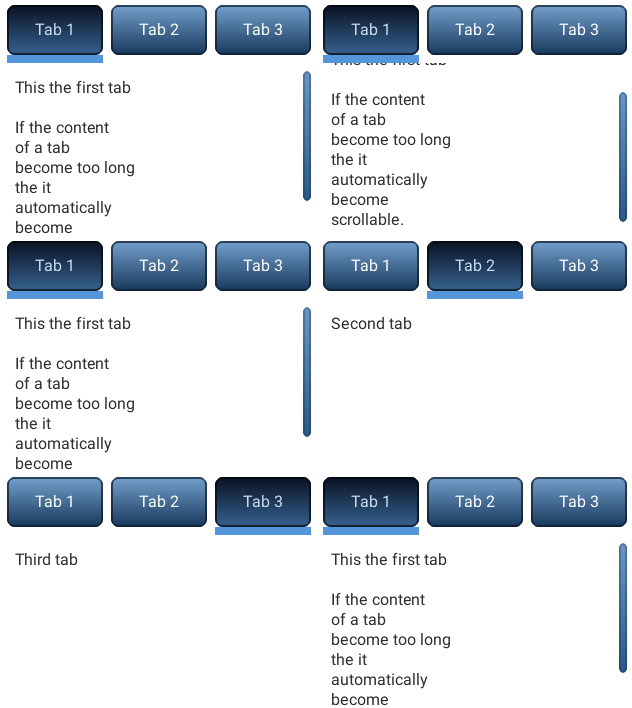
code
#include "lvgl/lvgl.h"

void lv_ex_tabview_1(void)
{
    /*Create a Tab view object*/
    lv_obj_t *tabview;
    tabview = lv_tabview_create(lv_scr_act(), NULL);

    /*Add 3 tabs (the tabs are page (lv_page) and can be scrolled*/
    lv_obj_t *tab1 = lv_tabview_add_tab(tabview, "Tab 1");
    lv_obj_t *tab2 = lv_tabview_add_tab(tabview, "Tab 2");
    lv_obj_t *tab3 = lv_tabview_add_tab(tabview, "Tab 3");


    /*Add content to the tabs*/
    lv_obj_t * label = lv_label_create(tab1, NULL);
    lv_label_set_text(label, "This the first tab\n\n"
                             "If the content\n"
                             "of a tab\n"
                             "become too long\n"
                             "the it \n"
                             "automatically\n"
                             "become\n"
                             "scrollable.");

    label = lv_label_create(tab2, NULL);
    lv_label_set_text(label, "Second tab");

    label = lv_label_create(tab3, NULL);
    lv_label_set_text(label, "Third tab");
}
MicroPython
Simple Tabview
code
# Create a Tab view object
tabview = lv.tabview(lv.scr_act())

# Add 3 tabs (the tabs are page (lv_page) and can be scrolled
tab1 = tabview.add_tab("Tab 1")
tab2 = tabview.add_tab("Tab 2")
tab3 = tabview.add_tab("Tab 3")

# Add content to the tabs
label = lv.label(tab1)
label.set_text("""This the first tab

If the content
of a tab
become too long
the it
automatically
become
scrollable.""")

label = lv.label(tab2)
label.set_text("Second tab")

label = lv.label(tab3)
label.set_text("Third tab")