C
Simple Switch
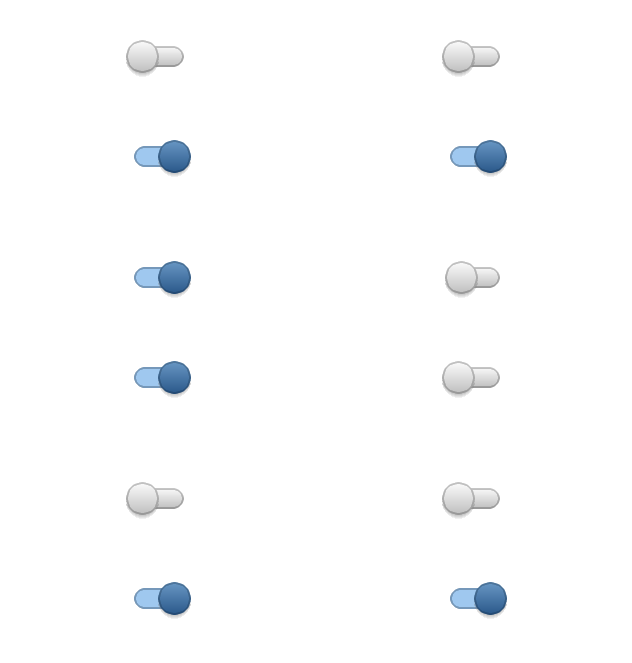
code
#include "lvgl/lvgl.h"
#include <stdio.h>

static void event_handler(lv_obj_t * obj, lv_event_t event)
{
    if(event == LV_EVENT_VALUE_CHANGED) {
        printf("State: %s\n", lv_sw_get_state(obj) ? "On" : "Off");
    }
}

void lv_ex_sw_1(void)
{
    /*Create styles for the switch*/
    static lv_style_t bg_style;
    static lv_style_t indic_style;
    static lv_style_t knob_on_style;
    static lv_style_t knob_off_style;

    lv_style_copy(&bg_style, &lv_style_pretty);
    bg_style.body.radius = LV_RADIUS_CIRCLE;
    bg_style.body.padding.top = 6;
    bg_style.body.padding.bottom = 6;

    lv_style_copy(&indic_style, &lv_style_pretty_color);
    indic_style.body.radius = LV_RADIUS_CIRCLE;
    indic_style.body.main_color = lv_color_hex(0x9fc8ef);
    indic_style.body.grad_color = lv_color_hex(0x9fc8ef);
    indic_style.body.padding.left = 0;
    indic_style.body.padding.right = 0;
    indic_style.body.padding.top = 0;
    indic_style.body.padding.bottom = 0;

    lv_style_copy(&knob_off_style, &lv_style_pretty);
    knob_off_style.body.radius = LV_RADIUS_CIRCLE;
    knob_off_style.body.shadow.width = 4;
    knob_off_style.body.shadow.type = LV_SHADOW_BOTTOM;

    lv_style_copy(&knob_on_style, &lv_style_pretty_color);
    knob_on_style.body.radius = LV_RADIUS_CIRCLE;
    knob_on_style.body.shadow.width = 4;
    knob_on_style.body.shadow.type = LV_SHADOW_BOTTOM;

    /*Create a switch and apply the styles*/
    lv_obj_t *sw1 = lv_sw_create(lv_scr_act(), NULL);
    lv_sw_set_style(sw1, LV_SW_STYLE_BG, &bg_style);
    lv_sw_set_style(sw1, LV_SW_STYLE_INDIC, &indic_style);
    lv_sw_set_style(sw1, LV_SW_STYLE_KNOB_ON, &knob_on_style);
    lv_sw_set_style(sw1, LV_SW_STYLE_KNOB_OFF, &knob_off_style);
    lv_obj_align(sw1, NULL, LV_ALIGN_CENTER, 0, -50);
    lv_obj_set_event_cb(sw1, event_handler);

    /*Copy the first switch and turn it ON*/
    lv_obj_t *sw2 = lv_sw_create(lv_scr_act(), sw1);
    lv_sw_on(sw2, LV_ANIM_ON);
    lv_obj_align(sw2, NULL, LV_ALIGN_CENTER, 0, 50);
}
MicroPython
Simple Switch
code
def event_handler(obj, event):
    if event == lv.EVENT.VALUE_CHANGED:
        print("State: %s" % ("On" if obj.get_state() else "Off"))

# Create styles for the switch
bg_style = lv.style_t()
indic_style = lv.style_t()
knob_on_style = lv.style_t()
knob_off_style = lv.style_t()

lv.style_copy(bg_style, lv.style_pretty)
bg_style.body.radius = 800
bg_style.body.padding.top = 6
bg_style.body.padding.bottom = 6

lv.style_copy(indic_style, lv.style_pretty_color)
indic_style.body.radius = 800
indic_style.body.main_color = lv.color_hex(0x9fc8ef)
indic_style.body.grad_color = lv.color_hex(0x9fc8ef)
indic_style.body.padding.left = 0
indic_style.body.padding.right = 0
indic_style.body.padding.top = 0
indic_style.body.padding.bottom = 0

lv.style_copy(knob_off_style, lv.style_pretty)
knob_off_style.body.radius = 800
knob_off_style.body.shadow.width = 4
knob_off_style.body.shadow.type = lv.SHADOW.BOTTOM

lv.style_copy(knob_on_style, lv.style_pretty_color)
knob_on_style.body.radius = 800
knob_on_style.body.shadow.width = 4
knob_on_style.body.shadow.type = lv.SHADOW.BOTTOM

# Create a switch and apply the styles
sw1 = lv.sw(lv.scr_act())
sw1.set_style(lv.sw.STYLE.BG, bg_style)
sw1.set_style(lv.sw.STYLE.INDIC, indic_style)
sw1.set_style(lv.sw.STYLE.KNOB_ON, knob_on_style)
sw1.set_style(lv.sw.STYLE.KNOB_OFF, knob_off_style)
sw1.align(None, lv.ALIGN.CENTER, 0, -50)
sw1.set_event_cb(event_handler)

# Copy the first switch and turn it ON
sw2 = lv.sw(lv.scr_act(), sw1)
sw2.on(lv.ANIM.ON)
sw2.align(None, lv.ALIGN.CENTER, 0, 50)
sw2.set_event_cb(lambda o,e: None)